- Page d'accueil /
- Produits de bureau /
- Électronique de bureau /
- Printers & Accessories /
- Computer Printers /
- Imprimantes laser /
- Brother MFC-L2730DW Compact Laser All-in-One ...
0 ratings




Numéro d'article:
33923598
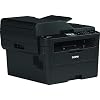
Brother MFC-L2730DW Compact Laser All-in-One Printer
Numéro d'article:
33923598
XOF 378655
Price Details
Excluding Shipping & Custom charges ( Shipping and custom charges will be calculated on checkout )
*All items will import from États-Unis
0 ratings
Écrire un commentaire
En rupture de stock
 Importé depuis la boutique USA
Transaction sécurisée
Ubuy s'engage à protéger votre sécurité et votre confidentialité. Notre système avancé de sécurité des paiements garantit la confidentialité en chiffrant vos informations lors de la transmission grâce aux protocoles AES (Advanced Encryption Standards) et SSL (Secure Socket Layer). Vos coordonnées de paiement sont 100 % sécurisées car nous ne partageons pas vos informations de paiement avec des vendeurs tiers.
nos meilleurs partenaires logistiques


The Brother MFC-L2730DW is a compact and efficient all-in-one printer suitable for any printing needs.

Livraison
rapide

Retour
gratuit*

Emballage sécurisé

Produits 100 % originaux

Conformité PCI DSS

Certifié ISO 27001


Note: Step Down Voltage Transformer required for using electronics products of États-Unis store (110-120). Recommended power converters Acheter maintenant.


Ce qui se démarque
Conception compacte
The Brother MFC-L2730DW's space-saving design makes it ideal for home offices and small workspaces, ensuring functionality without crowding your desk.
Fast Printing
Delivering up to 36 pages per minute, this printer enhances productivity, making it perfect for busy professionals who need quick document prints.
Connectivité sans fil
With flexible wireless options, including Wi-Fi and mobile printing, this printer enables seamless integration with various devices for convenient printing from anywhere.
Détails du produit
| Printer Type | Laser |
| Autres caractéristiques spéciales du produit | Compact |
| Printer Output Type | Monochrome |
| Poids de l'article | 33.7 Pounds (15.29 kg) |
| Dimensions de l'article D x L x H | 8.03"D x 8.98"W x 6.73"H (20.4 x 22.8 x 17.1 cm) |
| Type de contrôleur | Android |
| Print media | Paper (plain) |
| Scanner Type | Sheetfed |
| Maximum Copy Speed Black and White | 36 ppm |
| Appareils compatibles | Laptops, PC |
| Maximum Copies Per Run | 36 |
| Couleur d'encre | Noir |
| Additional Printer Functions | Copy |
| Méthode de contrôle | Touche |
| Number of Trays | 1 |
| Processor Count | 1 |
| Résolution | 2400 x 600 dpi (monochrome), 1200 dpi (color) |
| Type d'affichage | LCD |
| Couleur | Noir |
| Color Depth | 24 bpp |
| Printer Connectivity Type | Wi-Fi |
| Interface matériel | Ethernet |
| Number of Ethernet Ports | 1 |
| Total USB 2.0 Ports | 1 |
| Total des ports USB | 1 |
| Marque | Brother |
| Nom du modèle | MFC L2730DW |
| Numéro de modèle | MFCL2730DW |
| Numéro de série | 2700 |
| Model Series | L2700 |
| Utilisations spécifiques pour le produit | Bureau |
| UPC | 012502649878 |
| Fabricant | BROTHER |
| Color Pages per Minute | 34 ppm |
| B&W Pages per Minute | 36 ppm |
| Maximum Media Size | Legal |
| Maximum Sheet Capacity | 250 |
| Taille du papier | 14 pouces (35,6 cm) |
| Output sheet capacity | 250 |
| Maximum print Resolution Color | 1200 DPI |
| Maximum Print Resolution Black and White | 2400 x 600 dpi |
| Dual-sided printing | Yes |
| Duplex | Automatique |
| Maximum Copy Resolution Color | 34 pages_per_minute |
| Maximum Copy Resolution Black and White | 36 pages_per_minute |
| Technologie de connectivité | Wi-Fi |
| Printing Technology | Laser |
| Caractéristique spéciale | Compact |
| Printer Output | Monochrome |
| Maximum Print Speed (Color) | 34 ppm |
| Max Printspeed Monochrome | 36 ppm |
À qui est-ce destiné ?

-
Small Office Use
Ideal for small offices needing reliable printing, scanning, and faxing in a compact design.
-
Travailleurs de bureau à domicile
Great for remote employees needing versatile printing capabilities and space-saving features.
-
Acheteurs soucieux de leur budget
Cost-effective for users seeking a multifunction printer with low operating costs and good print quality.

-
High Volume Printing
Not suitable for businesses requiring high-volume print capabilities due to slower speed and small paper tray.
-
Photo Printing
Limited color printing features make it unsuitable for users needing high-quality photo prints.
-
Mobile-Only Users
Not ideal for users exclusively reliant on mobile devices for printing without regular computer access.
DESCRIPTION DU PRODUIT
Vous avez une question ? Chattez avec nous
Questions et réponses des clients
-
question:
What features does the Brother MFC-L2730DW Printer offer?
répondre: The Brother MFC-L2730DW is a compact 4-in-1 laser printer that offers printing, scanning, copying, and faxing capabilities, making it ideal for home offices or small businesses. It supports duplex printing, which helps save paper, and features wireless connectivity through Wi-Fi and mobile printing options like AirPrint and Google Cloud Print. This versatility allows users to handle various tasks efficiently, whether you're printing documents or scanning important paperwork. -
question:
How fast can the Brother MFC-L2730DW print?
répondre: The Brother MFC-L2730DW boasts a high print speed of up to 32 pages per minute (ppm), significantly improving productivity for users with high-volume printing needs. This quick output makes it suitable for busy offices where time is of the essence. Imagine needing a stack of documents printed before an important meeting; this printer will ensure you're ready in no time. -
question:
Is the Brother MFC-L2730DW compatible with mobile printing?
répondre: Yes, the Brother MFC-L2730DW supports mobile printing through various platforms such as Apple AirPrint, Google Cloud Print, and Brother's own iPrint&Scan app. This compatibility means you can print documents directly from your smartphone or tablet, providing flexibility for users who may often be on the go. Whether you're at home or in a coffee shop, this feature makes printing seamless and user-friendly. -
question:
Can the Brother MFC-L2730DW handle different paper sizes?
répondre: The Brother MFC-L2730DW has a standard paper tray that holds up to 250 sheets and can accommodate various paper sizes, including letter, legal, and A4. There is also a manual feed slot for specialty media such as envelopes and cardstock. This versatile paper handling ensures that you can print a wide range of documents without constantly needing to change paper types, making it ideal for diverse printing tasks. -
question:
What is the print quality of the Brother MFC-L2730DW?
répondre: The print quality of the Brother MFC-L2730DW is excellent, with a resolution of up to 2400 x 600 dpi, ensuring sharp text and vibrant graphics. This enhanced print quality is especially beneficial for creating professional-looking documents, marketing materials, or presentations. Whether you’re printing contracts or handouts for a meeting, expect clear and precise results every time. -
question:
How do I set up the Brother MFC-L2730DW printer?
répondre: Setting up the Brother MFC-L2730DW is straightforward and user-friendly. After unboxing, simply connect it to your power source, install the toner cartridge, load paper into the tray, and follow the on-screen instructions on the control panel or the quick setup guide included in the box. This quick setup process allows you to get started with printing, copying, or scanning in just a few minutes, minimizing downtime. -
question:
What type of toner does the Brother MFC-L2730DW use?
répondre: The Brother MFC-L2730DW utilizes a TN-2470 or TN-2410 toner cartridge, which offers high page yields and is designed for excellent print quality. Users appreciate that the standard toner can print up to approximately 1,200 pages, while the high-yield option can deliver about 3,000 pages. This helps reduce the frequency of replacements, making it more cost-effective for users who print frequently. -
question:
Does the Brother MFC-L2730DW support duplex printing?
répondre: Yes, the Brother MFC-L2730DW features automatic duplex printing, allowing for double-sided printing without manual intervention. This capability not only helps save paper but also time when printing multi-page documents. For students or professionals who regularly print reports, this feature can greatly enhance workflow efficiency while contributing to environmental sustainability. -
question:
How to troubleshoot common issues with the Brother MFC-L2730DW?
répondre: Common issues with the Brother MFC-L2730DW can often be resolved by checking a few key areas. Start by ensuring that paper is loaded properly and that there are no paper jams. If printing errors occur, verify the toner levels and clear any error messages displayed on the control panel. If problems persist, referring to the user manual or Brother's online support can provide step-by-step troubleshooting guidance, helping you get back on track quickly. -
question:
Where can I buy the Brother MFC-L2730DW Compact Laser All-in-One Printer?
répondre: You can buy the Brother MFC-L2730DW Compact Laser All-in-One Printer at Ubuy. They offer a variety of deals and shipping options suited for customers in Cote dIvoire. This makes it convenient for you to purchase this multifunction printer while also potentially saving on shipping costs and enjoying reliable customer service.
Brother Laser Printers Editorial Review
The Brother HL-L3270CDW is a solid printer for both home and office use. It has the ability to print on card stock paper but may require manual feeding. The printer comes equipped with a USB port but does not include a USB cable for physical computer connection. However, it can be set up with wifi and does not require a cable for that. The printer seems to be heavy-duty for its size and has received positive feedback about its performance for small businesses. However, a few customers reported issues with the product not working properly and struggling to receive customer support.
Avis et évaluations clients
337 évaluations des clients
-
5 étoile
70%
-
4 étoile
15%
-
3 étoile
4%
-
2 étoile
5%
-
1 étoile
6%
Donnez votre avis sur ce produit
Partagez votre avis avec d'autres clients
Avantages
- Ability to print on card stock paper
- Can be set up with wifi
- Suitable for small businesses
Les inconvénients
- May require manual feeding for card stock paper
Historique des prix du produit
Informations importantes
- Limitations : Pour les produits expédiés à l'international, veuillez noter que toute garantie du fabricant peut ne pas être valide ; les options de service du fabricant peuvent ne pas être disponibles ; les manuels, instructions et avertissements de sécurité des produits peuvent ne pas être dans les langues du pays de destination ; les produits (et les matériaux qui les accompagnent) peuvent ne pas être conçus conformément aux normes, spécifications et exigences d'étiquetage du pays de destination ; et les produits peuvent ne pas être conformes à la tension et aux autres normes électriques du pays de destination (nécessitant l'utilisation d'un adaptateur ou d'un convertisseur le cas échéant). Il incombe au destinataire de s'assurer que le produit peut être importé légalement dans le pays de destination. En cas de commande auprès d'Ubuy ou de ses filiales, le destinataire est l'importateur officiel et doit se conformer à toutes les lois et réglementations du pays de destination.
- Tous les produits listés sur Ubuy ne sont pas à vendre, Ubuy étant un moteur de recherche mondial. Les produits sont soumis aux réglementations en matière d'exportation et de commerce.
XOF 378655
Currently unavailable.
We don't know when or if this item will be back in stock.
This item is not restrict in my country.(Please click on above link if this item is not restrict in your country, So our team will review and allow.)
Transaction sécurisée
Ubuy s'engage à protéger votre sécurité et votre confidentialité. Notre système avancé de sécurité des paiements garantit la confidentialité en chiffrant vos informations lors de la transmission grâce aux protocoles AES (Advanced Encryption Standards) et SSL (Secure Socket Layer). Vos coordonnées de paiement sont 100 % sécurisées car nous ne partageons pas vos informations de paiement avec des vendeurs tiers.
nos meilleurs partenaires logistiques
Livraison transfrontalière la plus rapide